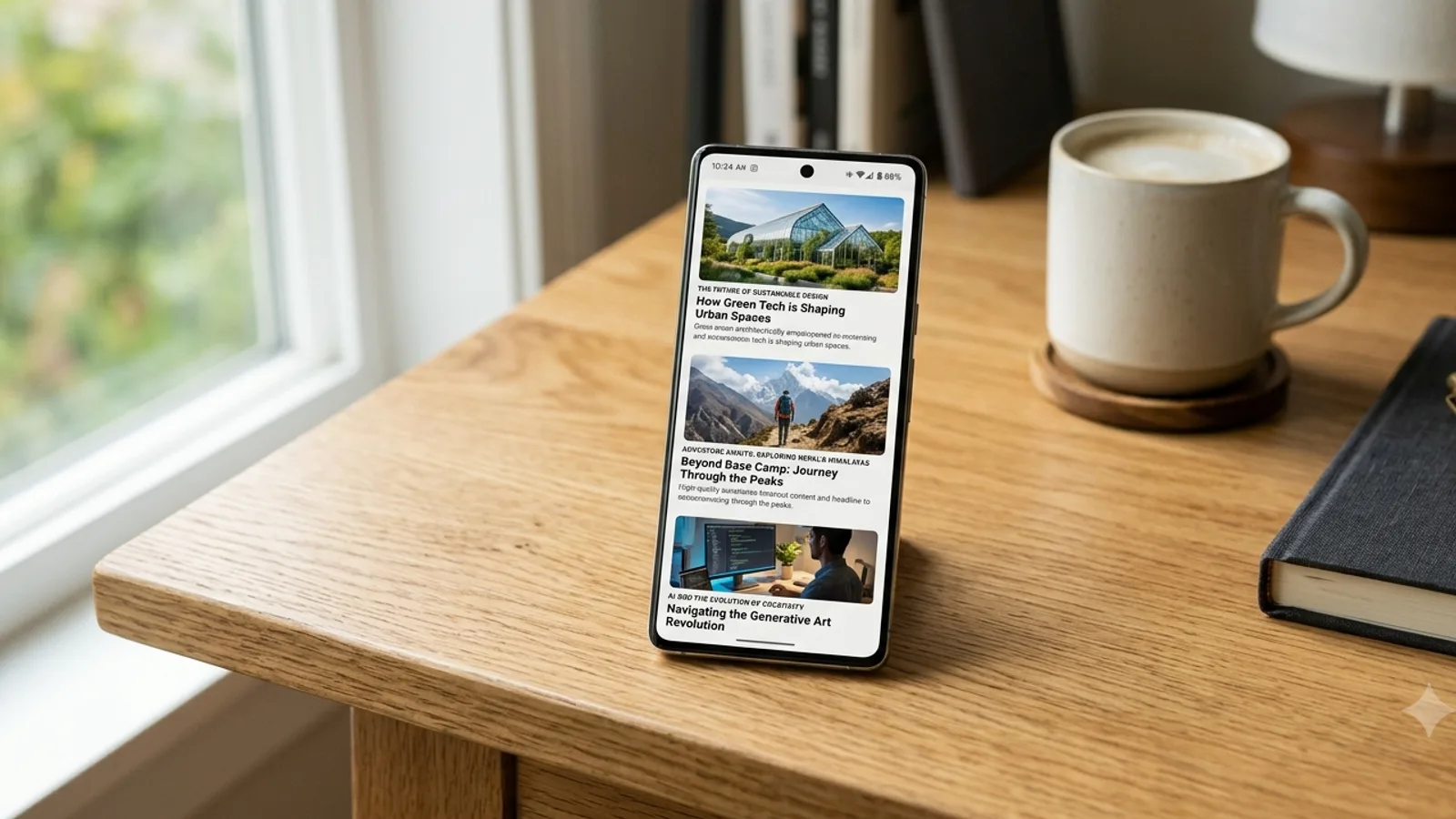
Google Discover breaks the model most SEO is built around: there is no search query. Google decides on its own that a particular person might want your article, and drops it into the feed they see in the Google app, on the Chrome new-tab page, and increasingly on the desktop homepage. For a publisher that lands, Discover can rival or even exceed the traffic from ordinary search. For one that doesn’t, it pays nothing.
That gap is why Discover gets misunderstood. There is no keyword to target, no ranking position to chase, and no switch that turns it on. According to Google’s own documentation, you can only make a page eligible; whether it actually appears is a separate event that depends on one person’s interests at one moment. This is a practitioner’s read of what genuinely matters, prompted by Olga Zarr’s in-depth Discover guide on SEOSLY. For a small or EU-based publisher the starting point is simple: nobody can promise you Discover traffic. What follows is how to earn eligibility and stop getting in your own way.
How Google decides what reaches the feed
Discover is personalization, not retrieval. Google’s systems match content to what an individual user seems to like, drawn from their Search history, their activity across Google products, their location, and the topics and sites they have chosen to follow. Two people opening the feed at the same moment can see almost nothing in common.
That has a practical consequence worth sitting with. Being eligible for Discover (indexed, compliant, technically sound) is necessary but not sufficient. Appearing is a second, separate event that depends on a specific person’s interests at a specific time. It is also why Discover traffic spikes and collapses in ways search traffic rarely does, and why an evergreen piece can resurface months later when it suddenly fits someone’s moment. Don’t read a quiet week as a penalty, or a viral day as a strategy you can repeat on demand.
Google has since put more of the selection logic in writing. Its Discover documentation says Discover uses many of the same signals and systems that Search uses to judge helpful, people-first content, and that it filters out things that don’t suit an interest feed, such as job applications, petitions, forms and satire without context. The February 2026 Discover core update added three stated aims: more locally relevant content from sites based in the reader’s country, less sensational content and clickbait, and more in-depth, original and timely content from sites with expertise in the subject. Google says it judges that expertise topic by topic, so a local news site with a dedicated gardening section can earn it for gardening while a movie review site with one gardening article would likely not.
One shift to plan for: Discover is expanding to desktop. Google confirmed the rollout at Search Central Live in Madrid in 2025, and it is appearing on the google.com homepage and Chrome’s new-tab page for logged-in users, initially in a handful of countries (the US, Canada, the UK, Australia, Germany, per that announcement). Treat it as a direction of travel rather than a switch that has already flipped everywhere.
E-E-A-T: who Google is willing to recommend
Discover leans hard on trust, because Google is staking its own credibility on what it pushes to people who didn’t ask. Experience, Expertise, Authoritativeness and Trust are not a score you set; they are signals Google assembles about who is behind the content.
The fixable parts matter most. Real author bylines, on real author pages, with a genuine bio and a stable author.url. A publisher identity that stays consistent across the site and its structured data. Clear sourcing on anything medical, financial or scientific. All of it is the difference between a site Google trusts a person to read unprompted and a domain it would rather not vouch for. There is a useful overlap here: the same trust and quality signals that earn Discover eligibility are the ones that increasingly earn citations in AI Overviews and AI search, a link we trace in what Google has said about SEO and GEO.
Content that earns a place in the feed
Discover rewards content people want to read, not content that answers a query they typed. In practice that favors a few recognizable shapes: data-led analysis with a number nobody else has, a contrarian take grounded in real experience, and locale-specific angles a global outlet would never bother with. A generic “Best budget laptops 2026” roundup is exactly what a language model produces on request, so it has little reason to travel. “The budget laptop we returned after a week, and what we bought instead” carries a point of view that can’t be faked, and that is what the feed tends to surface.
Headlines carry more weight in Discover than almost anywhere else, because there is no query to set expectations: the headline is the pitch. A little curiosity is fine; a headline that oversells or hides the actual payoff is the fastest way to teach Google that your content disappoints the people it recommends. Make a promise the article keeps. Freshness helps too (Discover skews toward recently published material), but don’t game it: bumping a date without a real update is the kind of signal Google’s guidance explicitly warns against.
Publisher Center, the Follow button and topic signals
You do not need Google News membership to appear in Discover, but a complete profile in Google Publisher Center reinforces the publisher identity Google reads, and it is worth setting up properly. The Follow button matters more than most realize: when a reader follows your site or a topic you cover, your content becomes eligible to surface in the “Following” view of their feed, a direct line back to an audience that has already raised its hand. Building genuine depth on a topic, rather than scattering one-off posts across unrelated subjects, is what makes those follow and topic signals add up over time.
Image specs and the meta tag that gates them
Google requires Discover images to be at least 1,200 pixels wide, at least 300 KB, in a 16:9 aspect ratio, with more than 300,000 total pixels (a 1280×720 image clears it comfortably). That is the spec, and it is non-negotiable for the large-image treatment that makes Discover work.
The piece that is easy to miss is the meta tag. Large image previews require max-image-preview:large in your robots meta; if it is absent, or set to standard or none, you are not eligible for the large-image treatment no matter how good the picture is. Pair it with a relevant og:image (or schema markup) so Google picks the right one, and avoid the obvious mistakes: your site logo is not a Discover image, and overlaid text, heavy filters or misleading visuals work against you. It is an easy tag to get wrong: the image spec can be perfect and still yield no large-image treatment.
The technical foundation
None of the above matters if the page can’t be crawled, indexed and loaded cleanly. Discover pulls from Google’s ordinary index, so a page Search never sees will not surface in the feed either. The rest is routine hygiene: load fast on a phone, stay secure, mark the page up, and give Google a feed. The baseline:
- Indexable and in Google’s index. Discover draws from the same index as Search; an unindexed page can’t appear.
- Core Web Vitals in the green. Largest Contentful Paint ≤ 2.5s, Interaction to Next Paint ≤ 200ms, Cumulative Layout Shift ≤ 0.1. A feed user who taps through has zero patience for a slow, jumping page.
- Mobile-first and HTTPS. Discover began as a phone experience; a clean mobile render and a secure connection are table stakes.
- Structured data.
Article,NewsArticleorBlogPostingmarkup, withdatePublished,dateModified, an image array andauthor.url, helps Google understand and trust the page. - A working feed. An RSS or Atom feed, linked with
rel="alternate", gives Google a clean signal when you publish.
The policy gate you can lose in one move
Discover eligibility is conditional on Google’s content policies, and this is where sites self-destruct. Mislabeled sponsored content, manipulated media, or dangerous and hateful material can all pull you out of the feed. Two newer risks deserve naming: mass-produced, low-effort AI content (“AI slop”) and site reputation abuse, where a trusted domain rents space to third-party content for the rankings. Google has been visibly tightening on both. The practical posture is conservative, label sponsorships clearly, keep headlines honest, verify sensitive claims, and don’t publish anything you would be uncomfortable defending. For news publishers, where the policy bar and the upside are both highest, that gate is worth a dedicated news site audit before you lean on Discover.
Discover in the Search Console report
Yes, Discover performance lives in its own report in Google Search Console, with up to 16 months of clicks, impressions and CTR. The catch is that the report only appears once you have had enough Discover traffic to populate it. Use it to learn which formats and headline styles actually travel, and watch CTR trends rather than obsessing over any single day. Keep an eye on the Security & Manual Actions section too: if Discover traffic vanishes overnight, a policy issue is the first thing to rule out.
The trap is reading volatility as signal. Discover is spiky by design. Judge it over weeks, against the business outcomes that matter (subscriptions, leads, return visits), not against the shape of a single graph.
Separating Discover from Search in GA4
GA4 has no Discover channel, so it can’t report Discover on its own. Depending on the referrer the Google app or browser passes along, a Discover visit is filed under Organic Search, Direct, Referral or Unassigned. Search Console’s Discover report is the count to trust. GA4 can approximate the slice and show what those readers did after they arrived.
Google’s default channel definitions contain no Discover rule. Direct means the source is (direct) and the medium is (none) or (not set), which Google describes as traffic without a clear referral source. Organic Search means the source is on Google’s list of search sites or the medium is organic. So a Discover click that reaches you with a google.com referrer is counted as google / organic, next to your search clicks. One that arrives with no referrer joins (direct) / (none). One that carries an app identifier GA4 has no rule for lands in Referral or Unassigned.
Practitioners who have dug into raw referrers describe the app case in detail. Robert Petković’s 2025 GA4 guide and a 2024 issue in the dbt-ga4 project both report Discover visits from the Android Google app arriving with android-app://com.google.android.googlequicksearchbox as the referrer and ending up in Direct, Unassigned or Referral. That identifier belongs to the Google app as a whole, though. Seer Interactive documented in 2016 that it also marks ordinary searches made inside the app, and that an app update could send the same visits back to Direct. A filter on it measures visits from the Google app: Discover plus some search.
What you can set up in GA4:
- Register
page_referrer, which GA4 collects automatically with every page view, as an event-scoped custom dimension, then read the raw referrer values in Explorations. - Build a custom channel group that moves Google app referrals into a channel of their own. Custom groups also apply to past data. Call the channel “Google app”, because that is what it measures.
- Compare that channel’s daily sessions with daily clicks in the Search Console Discover report. If the two lines rise and fall together, the GA4 slice is a workable proxy for engagement and conversions from Discover readers.
What you can’t do is separate Discover clicks that arrived with a google.com referrer from search clicks, pull referrer-less Discover visits back out of Direct, or tag Discover links with UTM parameters, since Google picks the link and Search Console credits each click to the canonical URL. Linking Search Console to GA4 doesn’t close the gap either: the two reports the link adds are named for Google organic search, and Google’s help page for them doesn’t mention Discover.
The Search Console report from the previous section stays the reference count. It breaks Discover clicks, impressions and CTR down by page, country, appearance type (AMP, Web Story, video, News Showcase) and day, and it includes traffic from Chrome. Two details matter when you set it beside GA4: Search Console dates are in Pacific Time outside the 24-hour view, and table rows below a minimum number of impressions are hidden, although they still count toward the totals.
When Discover traffic drops or stops
Google names three normal causes of a Discover drop: readers’ interests shift, the feed changes which types of content it shows, and Search updates reach Discover too. Four more you can check yourself, in this order: a reporting glitch, a policy action, a technical block on indexing or large images, and content that no longer reads as expert.
Google’s Discover documentation calls Discover traffic less predictable than keyword-driven search visits and asks site owners to treat it as supplemental. It gives sports, health, entertainment and lifestyle as examples of what the feed regularly shows, notes that falling search interest in a topic can shrink its place in someone’s feed, and says sites may see traffic changes unrelated to the quality or publishing frequency of their content. In 2021 John Mueller described Discover traffic as very binary, with a site tending to get a lot of it or very little, as Search Engine Journal reported. That is why any change in it looks dramatic.
- Confirm the drop in Search Console. Open the Discover performance report, switch to weekly granularity and compare with the same span before the drop. GA4 splits Discover across several channels (see the previous section), so a dip there can be a referrer change. Check Google’s data anomalies page too: for 2026 it lists Discover logging errors on May 7 to 8, May 21, June 24 and August 13, each of which lowered reported clicks and impressions without touching real traffic.
- Rule out a policy action. This is the Manual Actions check from the Search Console section above. Discover violations appear there as News and Discover manual actions, listed in Google’s Manual Actions report help. The Discover content policies say repeated or egregious violations can make a site ineligible for Discover altogether, including Chrome’s “Articles for you”, and Google’s spam policies add that sites trying to get around a policy can lose eligibility for features such as Discover.
- Match the date against Google’s ranking updates list. The February 2026 Discover core update rolled out from February 5 to February 27, 2026, per Search Engine Roundtable. It launched for English-language users in the US, with other countries and languages promised later, so its date in your market may differ. Regular core and spam updates appear on the same list, and Google says Search updates can move Discover traffic because Discover is an extension of Search. Google’s core update guidance is to wait at least a full week after an update finishes before comparing, and to skip quick fixes.
- Check the technical basics on the pages that fell. Discover shows only indexed pages, so a stray
noindexor a robots.txt rule that keeps Googlebot out removes a page from the feed along with Search. The Page indexing report and URL Inspection will show it. Then check the robots meta tag on the rendered page:max-image-preview:standardornoneturns off large previews under the robots meta tag spec, and Google says large images are more likely to generate visits from Discover. A template change that dropsmax-image-preview:largeor theog:imagecan cut clicks while the articles stay the same. - Compare the pages that lost traffic with the ones that kept it. The February 2026 update named sensational content and clickbait as things it reduces and expertise in the subject as what it favors. Look for headlines that promise more than the article delivers, topics far from what your site is known for, and dates changed without a real update, which Google’s helpful content guidance lists among its warning signs. Authorship counts here as well: the Discover content policies ask for clear dates, bylines and information about the authors and the publisher.
- If all of this is clean, wait. Google’s documentation says there may be nothing you need to do after an update, and its core update guidance says improvements can take several months to show. Keep publishing where your site has real depth and judge the trend over weeks.
What this means for a smaller or EU publisher
In short, Discover comes down to a few moves within reach of a smaller publisher. Build genuine author and publisher trust into the site. Write the pieces only you can write, and headline them honestly. Get your images to Google’s actual spec, since that one technical fix separates sites eligible for the large-image treatment from those that aren’t. Keep the foundation fast, mobile-clean and policy-safe. Then measure over weeks, and resist the urge to read every quiet day as failure.
European and multilingual publishers have one extra lever most US-centric guides skip. Correct hreflang tells Google which language and region version of a page to surface, so a Ukrainian or Polish edition lands in the right national feed instead of competing with itself. It fits the stated aim of the February 2026 update: more locally relevant content from sites based in the reader’s country.
None of this guarantees a place in the feed. It just makes you the kind of site Google can afford to recommend. The eligibility work is also easy to get subtly wrong (a meta tag set to standard, an image cropped a hair off 16:9, a dateModified that contradicts the visible date). If you want a second pair of eyes on those details, send us three article URLs and your Search Console Discover report, and a Google Discover audit will check them against the spec above.
Sources
- Google Search Central, “Get on Google Discover”: official requirements, image specs and the
max-image-previewrule. https://developers.google.com/search/docs/appearance/google-discover - Olga Zarr, SEOSLY, “Google Discover SEO,” the in-depth practitioner guide that prompted this piece. https://seosly.com/blog/google-discover-seo/
- Search Engine Journal, “Google Confirms Discover Coming to Desktop Search” (Search Central Live, Madrid, 2025). https://www.searchenginejournal.com/google-confirms-discover-coming-to-desktop-search/544029/
- Google Search Central, Core Web Vitals thresholds (LCP ≤ 2.5s, INP ≤ 200ms, CLS ≤ 0.1). https://developers.google.com/search/docs/appearance/core-web-vitals
- Google Search Central Blog, John Mueller, “Google’s February 2026 Discover Core Update” (February 5, 2026): the update’s three aims, topic-by-topic expertise and the US English launch. https://developers.google.com/search/blog/2026/02/discover-core-update
- Search Engine Roundtable, Barry Schwartz, “February 2026 Google Discover Core Update Done Rolling Out” (February 27, 2026): rollout dates. https://www.seroundtable.com/february-2026-google-discover-core-update-done-41006.html
- Google Search Status Dashboard, ranking update history: the official list of core, spam and Discover updates with dates. https://status.search.google.com/products/rGHU1u87FJnkP6W2GwMi/history
- Google Search Central, “Google Search’s core updates and your website”: how long to wait and what to avoid after an update. https://developers.google.com/search/docs/appearance/core-updates
- Google Search Central, “Creating helpful, reliable, people-first content”: E-E-A-T and the warning about changing dates without real changes. https://developers.google.com/search/docs/fundamentals/creating-helpful-content
- Google Search Central, “Spam policies for Google web search”: policy circumvention and loss of eligibility for features such as Discover. https://developers.google.com/search/docs/essentials/spam-policies
- Google Search Central, “Robots Meta Tags Specifications”: the
max-image-previewvalues. https://developers.google.com/search/docs/crawling-indexing/robots-meta-tag - Google Search Help, “Discover content policies”: policy list, transparency requirements and site-level ineligibility. https://support.google.com/websearch/answer/9982767
- Search Console Help, “Performance report (Discover)”: dimensions, thresholds, canonical URLs and Pacific Time dates. https://support.google.com/webmasters/answer/9216516
- Search Console Help, “Manual actions report”: the News and Discover manual action types. https://support.google.com/webmasters/answer/9044175
- Search Console Help, “Data anomalies in Search Console”: the 2026 Discover logging errors. https://support.google.com/webmasters/answer/6211453
- Analytics Help, “Default channel group”: the Direct, Organic Search and Referral rules. https://support.google.com/analytics/answer/9756891
- Analytics Help, “[GA4] Understand (direct) / (none) traffic”: what Direct means. https://support.google.com/analytics/answer/15258820
- Analytics Help, “Tagging best practices to avoid unassigned, (not set), and direct traffic issues”: what Unassigned means. https://support.google.com/analytics/answer/14847402
- Analytics Help, “Automatically collected events”:
page_referreron page views. https://support.google.com/analytics/answer/9234069 - Analytics Help, “[GA4] About custom dimensions and metrics”: registering an event parameter as a dimension. https://support.google.com/analytics/answer/10075209
- Analytics Help, “Custom channel groups”: rule-based channels that also apply to past data. https://support.google.com/analytics/answer/13051316
- Analytics Help, “Connect Search Console to Google Analytics”: the two organic search reports the link adds. https://support.google.com/analytics/answer/10737381
- Robert Petković, “How to track Google Discover traffic in Google Analytics 4” (April 25, 2025): the Google app referrer in GA4. https://ropetko.com/en/ga-gtm-tips/google-discover-in-google-analytics-4/
- Velir, dbt-ga4, issue #332 “Google Discover Source and Channel Attribution” (July 10, 2024). https://github.com/Velir/dbt-ga4/issues/332
- Seer Interactive, “Android Google Search App Traffic Appears as Referral Source in Google Analytics” (2016): the same referrer on Google app searches. https://www.seerinteractive.com/insights/google-analytics-referral-com-google-android-googlequicksearchbox-organic-search-traffic
- Search Engine Journal, Roger Montti, “Why You Shouldn’t Rely On Google Discover Traffic” (December 18, 2021): John Mueller on why Discover traffic dries up. https://www.searchenginejournal.com/google-discover-and-traffic/430658/